
Device, Cable, and Panel Labeling scheme.
----
Hardware and Labels used:
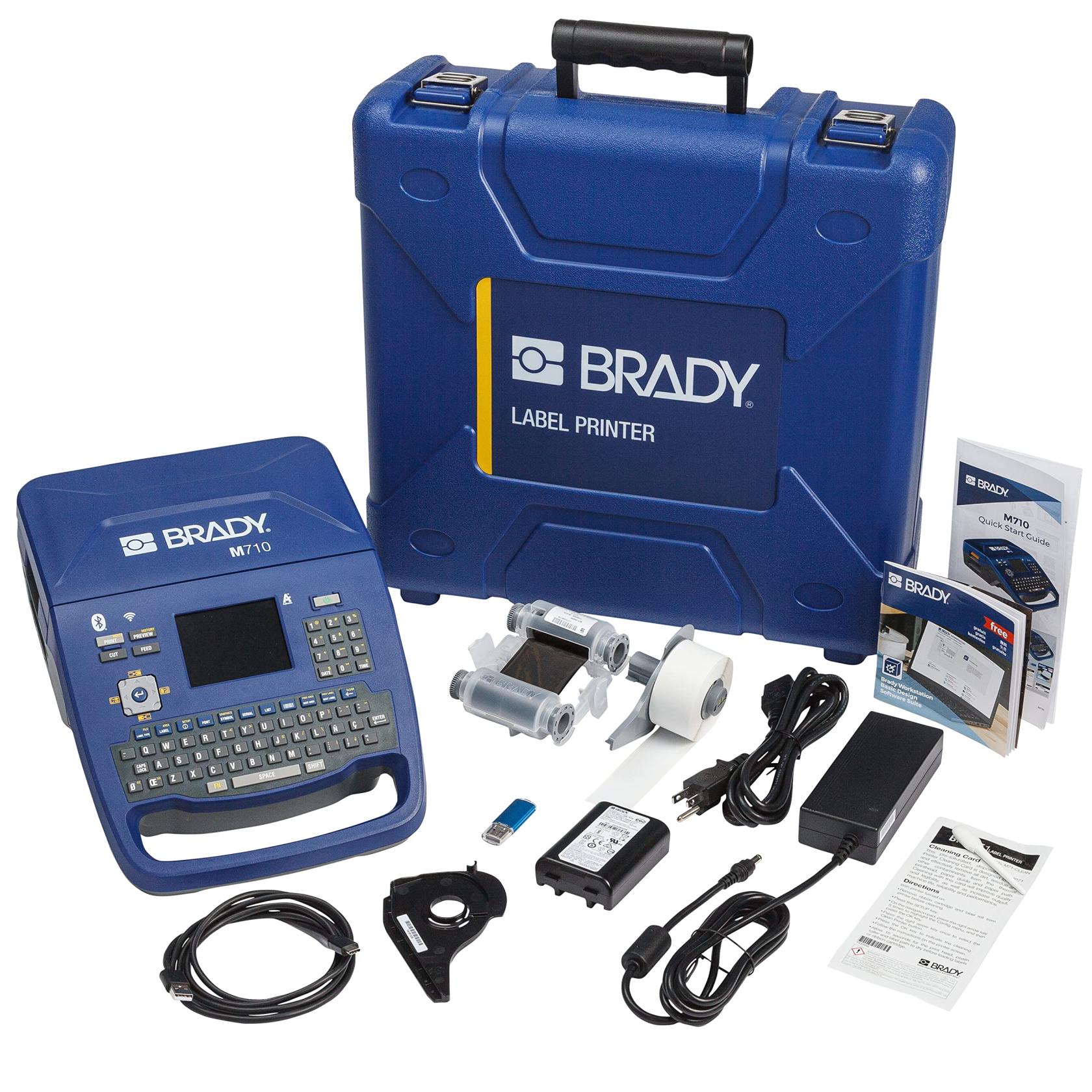
Standard Example
Notes:
- All panels are counted clockwise from the North West corner of the building
Wire In between Devices:
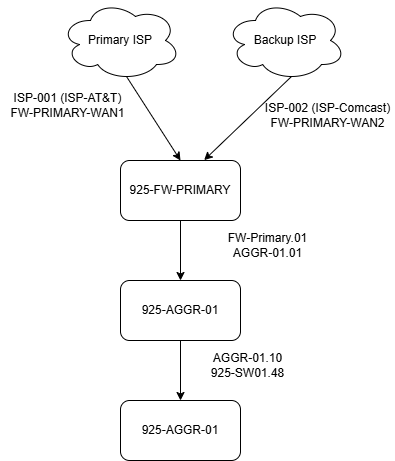
2x Layer labels. Order of spanning tree. Top of label = First location. The bottom of the Label = end of the cable.
| Device | Fire | Example | Expansion/Options |
| Device |
Top: Where it terminates Bottom: What it terminates |
|
|
| ISP to Firewall/Router |
ISP-## [Number or name] FW-Primary-PORT |
ISP-001 FW-Primary-WAN1 |
ISP-AT&T FW-Secondary-WAN2 |
| Router to Distribution Switch |
FW/ROUT.Port AGGR-##.PORT |
FW-Primary.03 AGGR-01.01 |
FW-Secondary.03 AGGR-02.01 |
| Router/Agg to L3/2 Switch IN MPOE |
AGG-##.Port SW##.Port |
AGGR-01.10 SW01.49 |
AGGR-02.12-BONDa AGGR-02.13-BONDb |
| Patch Cables between IDF/MPOE and the environment |
(thing)-(floor)-(number) Service*-### *NET | *TEL | *COM | |
IDF-1-2 NET-001 *TEL-001 |
IDF-1-2 NET-001a |
|
Riser Cables [between MPOE, IDF, Panels] |
(thing)-(floor)-(number) (thing)-(floor)-(number) |
IDF-1-1.001 PNL-2-2.001 |
IDF-1-1.001a, IDF-1-1.001b PNL-1-2.002a |
| Badge Readers |
(thing)-(floor)-(number) DR##-BGR-## |
PANEL-2-1 DR04-BGR.01 |
|
| Camera Cable | (thing)-(floor)-(number) CAM-### |
PANEL-1-1 CAM-008 |
|
| Access-Hub (not in panel) |
(thing)-(floor)-(number) ACCESS-DR## |
SASC-CTL.1.001A |
Panels / Doors Labels:
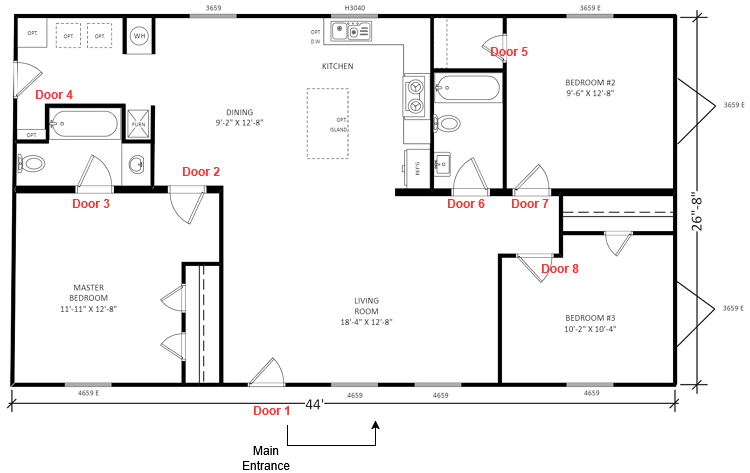
Start at Main Door way and counts clockwise around the Facility.
| Location/Type | First | Example | Expansion |
| Main Point of Entry | (Site)-MPOE-(Floor)-(door) | SASC-MPO-1-6 | N/A - Only 1 MPOE per side |
| Intermediate Distribution Frame | IDF-(Floor)-(Door) | IDF-1-1 | IDF-1-1a, IDF-1-1b |
| Media Cabinets/Panels | Panel-(Floor)-(Panel Number) | Panel-1-1, Panel 2-1 | |
| Facility Doors: | (Site)-FL-DR## |
SASC-01-DR01 |
Notes:
MPOE - This is where the internet comes into the building. In residential buildings, it is commonly seen as a utility closed hidden under stairs or basements. In large commercial buildings, it's widely a Riser [cables that link IDFs in other floors or wings are called risers].
IDF - This is where your switching or server equipment goes to support per floor. This commonly hosts switches that connect back to the MPOE
Controllers: Physical hardware in Panels, Walls or Mounted to walls
| Location/Type | First | Example | Expansion |
| Door Access Hub | (site)-CTL.(floor)-(door number) | SASC-CTL.1.05 | SASC-CTL.1.05a |
| Door Intercom | (Acesss Hub)-IntCom | SASC-CTL.1.05-IntCom | IntCom |
| Door Badge Reader | (Acesss Hub)-Reader | SASC-CTL.1.05-Reader |
Network Devices:
| Location/Type | First | Example | Expansion |
| Firewall/Router | (site)-FW## | 925-FW01 | 925-FW02 |
| Switches | (site)-SW## | 925-SW01 | 925-SW02 |
| Cameras | (location)-(object-in-camera) | INTERNAL-CashReg | INTERNAL-CashReg02 |
Notes:
Cameras have special naming schemes. We define them as internal or external to quickly identify access. Tenants and Employees typically can access external cameras, but internal camera access is heavily policed. A camera overlooking a driveway would be called "EXTERNAL-Driveway-North"